Image and video spoofer examples: inspect the actual files
Download real Spoofzy image outputs and inspect a separately labelled Signal Lab video research preview, with original files, measurements and comparison limits.
Inspect the original and the actual output files. The image batch below came from the released Telegram tool; the video comparison is a separately labelled Signal Lab research preview, not an available Extreme product.
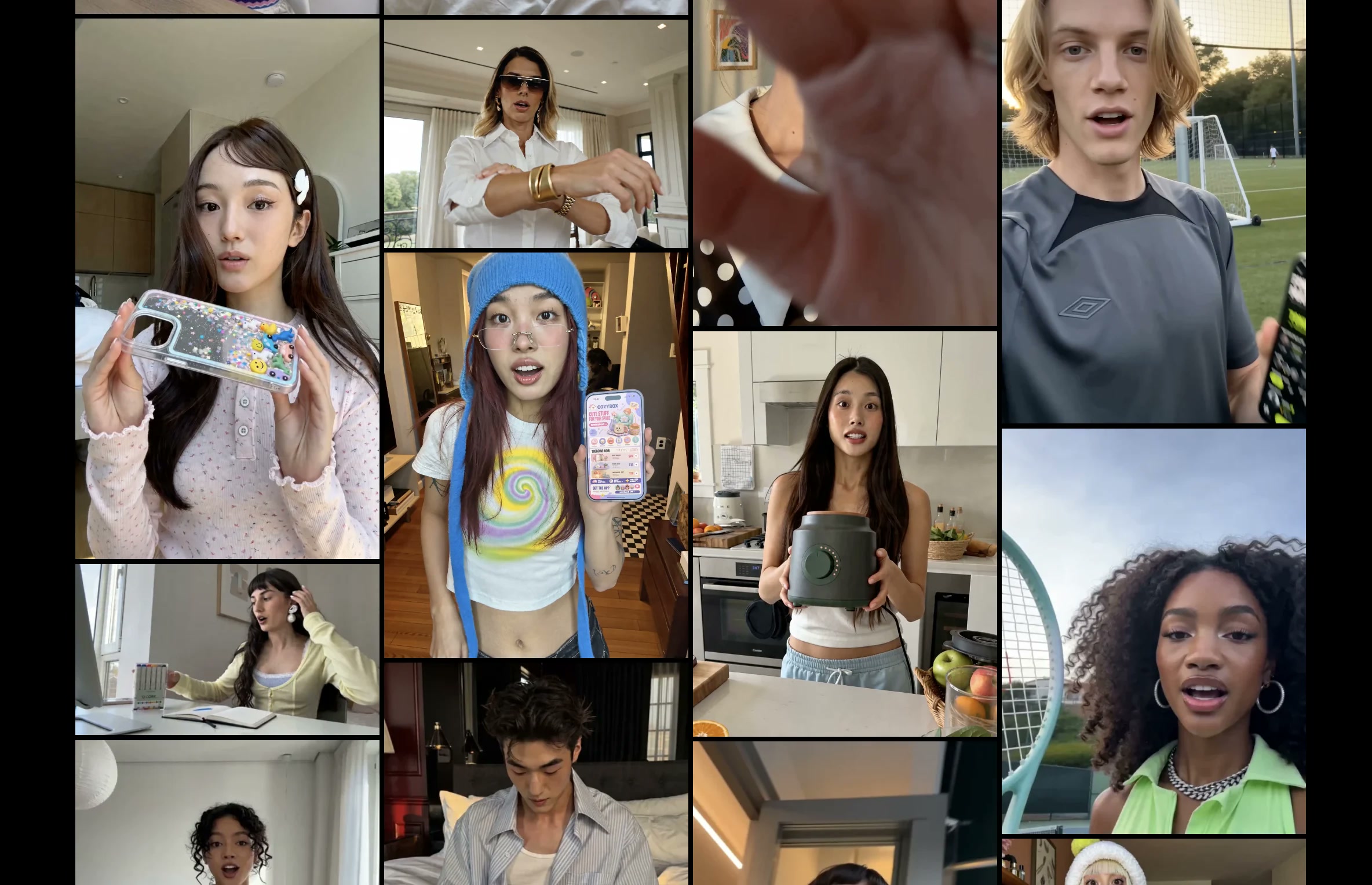
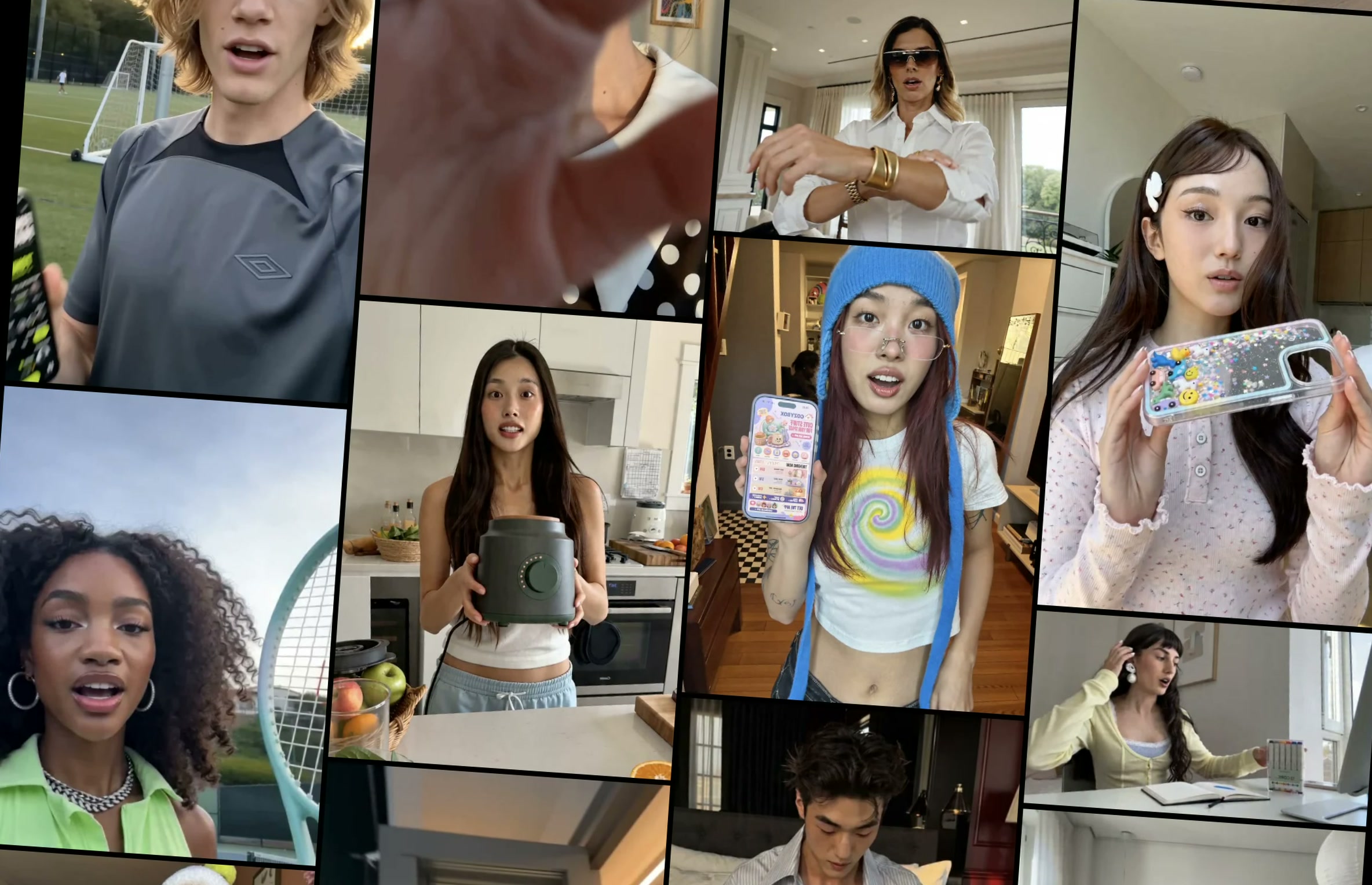
Image spoofer example: one original, five outputs
This public example uses the same founder-approved source sheet and actual Telegram outputs as the homepage walkthrough. The original JPEG was submitted to Spoofzy and five returned JPEGs were downloaded. The files below are unchanged copies of those published assets.
All six images are 2368 × 1528 pixels. The original is 500,334 bytes; the five outputs range from 459,238 to 469,917 bytes. Equal dimensions do not establish lossless quality. Compare the framing, text and fine detail yourself.
Source: Image spoofer quality checklist
Video comparison: recorded Signal Lab research preview
This is the existing public Extreme research example from Signal Lab: an AI-generated source clip and two recorded transformed variants. Extreme is not available yet. These files demonstrate a recorded comparison, not the results or controls of today's paid video spoofer.
The source is a 720 × 1280 H.264 MP4 with audio. The report records frame samples, file metadata and methods. Listen to the playback and inspect the picture as well as the measurements. Synthetic device tags in these research exports are not proof that an iPhone captured them.
Compare the picture, motion and audio using the playback controls. This research preview is separate from the released Telegram image batch above.
Source: Explore the recorded example and methods in Signal Lab
Check that you have the same samples
Download the files directly rather than using screenshots of these previews. The sample manifest lists each asset's path, byte count and SHA-256. On macOS, the command below prints a file fingerprint; compare it with the manifest entry for the same filename.
A different SHA-256 means the complete file bytes differ. It does not tell you whether the pictures look different: metadata or encoding can change a file hash too. Visual comparisons and perceptual measurements answer different questions.
shasum -a 256 spoofzy-demo-original.jpgReview the image and the viewing experience
View source and output at the same size, then inspect details. For video, compare the opening, motion, captions, ending and audio. Record which file and settings you checked so another reviewer can repeat the comparison.
Signal Lab's measurements describe the method and sampled data in its report. A sampled video-frame hash is not a whole-video verdict. No similarity score or file hash here establishes a platform's duplicate-content threshold, distribution decision or provenance.
| Evidence | Useful for | Does not establish |
|---|---|---|
| File size and dimensions | Confirming the exported file properties | Lossless quality |
| SHA-256 | Identifying exact file bytes | Visual novelty |
| Frame and similarity measurements | Comparing the documented samples | A social platform's decision |
| Human playback review | Checking text, framing, sound and suitability | Guaranteed reach |
Use the comparison to choose your next test
If your job is subtle variations of existing media, start with the current Media Variations page. If it is hidden file information, use Metadata Privacy. Keep a copy of the original and review one output before preparing a larger set.
These examples are specific recorded runs, not speed benchmarks, customer performance results or promises that every input will behave the same way. The current product page remains the source for available features, access and limits.
Review the files, then choose the workflow.
Start with the product's current capabilities and a source you are authorised to use.
See the current image and video spoofer